This post contains affiliate links, meaning I may earn a commission if you click through and make a purchase. As an Amazon associate, I earn from qualifying purchases. This comes at no additional cost to you. I only recommend products or services that I believe will provide value to my readers based on personal experience or thorough research.
Storyboarding is the foundation of animation. Before a single frame is animated, the storyboard maps out every scene, camera move, and emotional beat. It’s where ideas stop being abstract and start becoming a visual plan that the entire team can follow.
In animation, storyboards aren’t optional—they’re essential. If something doesn’t work here, it won’t magically work later. Storyboarding lets animators test pacing, composition, and storytelling early, saving time, money, and creative frustration down the line.
Why Storyboarding Matters in Animation
Storyboarding for animation began in the 1930s at Disney, and while the tools have evolved, the purpose hasn’t changed. A storyboard breaks the story into clear visual beats, ensuring continuity, clarity, and strong visual storytelling.
For animators, storyboards act as a bridge between script and motion. They clarify camera angles, character staging, and shot transitions long before animation begins. This keeps production focused and prevents costly rework later.
Core Storyboarding Techniques for Animators
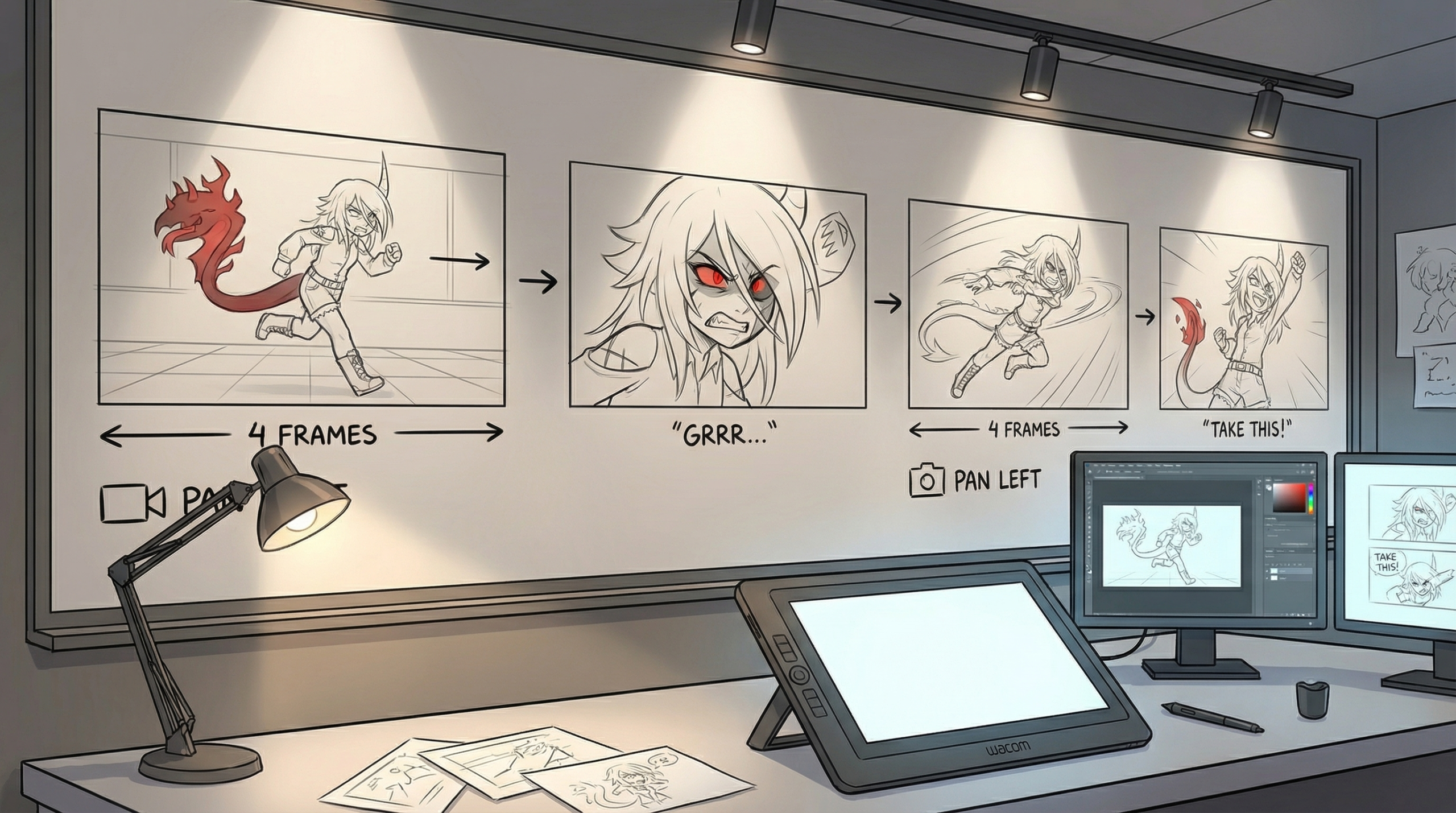
Strong storyboards rely on clear framing and readable poses, not polished drawings. Each panel should communicate action, emotion, and intent at a glance. Think of every frame as a frozen moment that tells part of the story.
Pacing is just as important as composition. Varying shot sizes, holding on key moments, and controlling visual rhythm helps guide how the audience experiences the animation. Smooth continuity between panels ensures the story flows naturally from shot to shot.
Advanced Animation Storyboarding Methods
Once the basics are solid, animators can push storyboards further with dynamic camera movement, perspective shifts, and layered depth. Foreground, midground, and background elements help scenes feel dimensional and cinematic.
Including notes for sound, dialogue, and timing adds another layer of clarity. Indicating music cues, pauses, or key lines helps everyone understand how the scene will feel once animated, not just how it looks.
Tools and Workflow for Storyboarding
Animators can storyboard traditionally with pencil and paper or digitally using tools like Toon Boom Storyboard Pro. Traditional methods build strong fundamentals, while digital tools allow fast revisions, easy sharing, and better organization.
The best workflow is the one that keeps ideas clear and flexible. Storyboards should stay loose and editable, focusing on storytelling rather than perfect artwork. Clarity always beats detail at this stage.
Common Mistakes to Avoid
One of the biggest mistakes is over-detailing panels. Storyboards aren’t finished animation—they’re a communication tool. Overloading frames with unnecessary detail can slow production and obscure the story.
Another pitfall is ignoring feedback. Storyboards are meant to be reviewed, adjusted, and improved. Early collaboration strengthens the final animation and helps catch weak moments before production begins.
FAQs
Q: What is storyboarding in animation?
A: Storyboarding is the process of planning an animation visually by breaking the story into sequential panels that show shots, action, and timing.
Q: Why is storyboarding important for animators?
A: It helps animators plan pacing, composition, and continuity while identifying problems early before animation begins.
Q: Do storyboards need detailed drawings?
A: No. Clear, readable sketches that communicate action and intent are more important than polished artwork.
Q: What tools do animators use for storyboarding?
A: Animators use pencil and paper or digital tools like Toon Boom Storyboard Pro, depending on workflow and project needs.
Q: Can storyboards include sound and dialogue notes?
A: Yes. Adding notes for sound, dialogue, and timing improves clarity and helps guide animation and editing.


Leave a Reply